In the ever-evolving world of Search Engine Optimization (SEO), countless factors contribute to a website’s visibility and success. While external backlinks often grab the headlines, the unsung hero working tirelessly behind the scenes is your website’s internal linking strategy. Often underestimated, effective internal linking is a powerful lever for boosting organic rankings, enhancing user experience, and improving your site’s overall SEO health.
#1 Semrush
Best for: Best for digital marketing professionals and agencies needing a comprehensive all-in-one platform for SEO, content, and competitive intelligence.
- ✔Comprehensive All-in-One Platform: Offers an extensive suite of tools for SEO, content marketing, PPC, and social media, consolidating various marketing needs into a single subscription.
- ✔In-depth Competitive Intelligence: Provides powerful features for analyzing competitor strategies, keywords, and backlink profiles, essential for market positioning.
- ✔Actionable Data and Reporting: Delivers vast amounts of data with robust filtering and customizable reporting options, enabling data-driven decision-making.
#2 Ahrefs
Best for: Best for SEO professionals, content marketers, and businesses requiring comprehensive data and advanced tools for in-depth competitive analysis, keyword research, and backlink auditing.
- ✔Provides an extremely robust and accurate database of backlinks, keywords, and organic traffic data, crucial for competitive analysis.
- ✔Offers a powerful, all-in-one suite of tools (Site Explorer, Keywords Explorer, Site Audit, Content Explorer, Rank Tracker) within an intuitive interface.
- ✔Features extensive educational resources, including an excellent blog, tutorials, and a knowledge base, to help users master SEO and the platform.
#3 Screaming Frog
Best for: Technical SEO professionals and digital marketers requiring a powerful, detailed, and locally-run website crawler for comprehensive SEO audits.
- ✔Generous Free Version: Offers substantial functionality for up to 500 URLs, making it highly accessible for smaller sites or initial analyses.
- ✔Comprehensive Technical SEO Capabilities: Provides deep and granular insights into a wide range of on-site and technical SEO issues.
- ✔Robust Data Export & Integrations: Allows extensive data export in various formats and integrates directly with Google Analytics and Search Console for enhanced analysis.
💡 Key Takeaways
- Understand the foundational role of internal links in SEO and user experience.
- Discover essential tools for auditing, planning, and implementing internal linking strategies.
- Learn advanced techniques to optimize anchor text, link depth, and content hubs.
- Improve your site’s crawlability, authority, and organic search performance.
“Internal linking isn’t just about passing link equity; it’s about guiding users and search engines through your most valuable content, fundamentally shaping your site’s SEO success.”
— Liam Carter, Senior SEO Strategist
This comprehensive guide will demystify internal linking, providing you with the knowledge, tools, and actionable strategies needed to master this critical aspect of SEO. Whether you’re an SEO veteran or just starting your journey, you’ll discover how to transform your website’s link architecture into a finely tuned machine that delights both search engines and users.
In This Article
- — 💡 Key Takeaways
- → 💡 Why Internal Linking Matters for SEO
- → 🌐 Core Principles of an Effective Internal Linking Strategy
- — 🌳 Hierarchical Structure (Siloing)
- — 🔗 Contextual Relevance
- — ✍️ Anchor Text Optimization
- — 📈 Deep Linking
- → ⚙️ Essential Internal Linking Tools & How They Help
- — 🐸 Screaming Frog SEO Spider
- — 📊 Semrush Site Audit & Internal Linking Reports
- — 🔎 Ahrefs Site Audit & Best Pages
- — 📈 Google Search Console
- → Strategizing Your Internal Link Building: Practical Approaches
- — 🌟 Content Hubs & Pillar Pages
- — 📝 Blog Post Linking (New to Old, Old to New)
- — ➡️ Navigation Links (Header, Footer, Sidebar)
- — 🎯 Contextual Links within Body Content
- — 🛍️ E-commerce Internal Linking
- → ❌ Common Internal Linking Mistakes to Avoid
- → 📈 Measuring & Improving Your Internal Linking Strategy
- — 📊 Key Metrics to Monitor
- — 🔄 Regular Audits & Maintenance
- — 🔬 Iterative Improvement
- → Conclusion
💡 Why Internal Linking Matters for SEO
Internal links are hyperlinks that point to other pages within the same domain. Unlike external links, which point to different domains, internal links are entirely within your control. Their significance stems from several key areas:
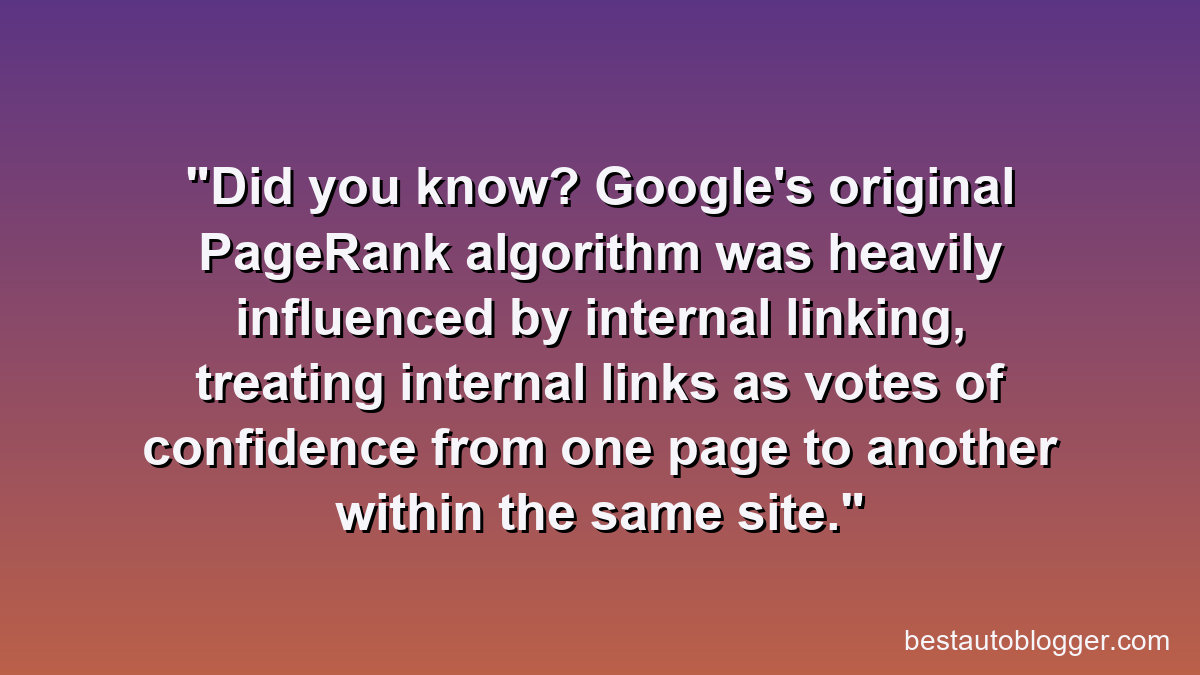
- ✅ PageRank/Link Equity Distribution: Google’s original PageRank algorithm, though evolved, still operates on the principle that links pass authority. Internal links distribute this “link equity” (or “link juice”) throughout your site, helping important pages rank higher.
- ➡️ User Experience & Navigation: Well-placed internal links guide users through your content, helping them discover related articles, products, or services. This improves engagement, reduces bounce rates, and keeps users on your site longer.
- 📖 Contextual Relevance & Topic Authority: By linking related pieces of content, you signal to search engines the thematic connections between your pages. This helps Google understand your site’s topical authority around specific subjects. For instance, linking from an article on keyword research to your broader guide on Finding Profitable Keywords: Tools & Strategies strengthens the perceived authority of both.
- ⚙️ Indexing & Crawlability: Search engine bots use internal links to discover new and updated content on your site. A robust internal link structure ensures that all your important pages are easily found and indexed, preventing “orphan pages” (pages with no internal links pointing to them). This is fundamental to ensuring your content gets seen.
🌐 Core Principles of an Effective Internal Linking Strategy
Building a strong internal link profile isn’t just about throwing links around; it requires a thoughtful approach based on established SEO principles.
🌳 Hierarchical Structure (Siloing)
Organize your content into logical categories or “silos.” Your homepage links to main category pages, which then link to sub-category pages and individual articles or product pages. This creates a clear, structured path for both users and search engine crawlers. Think of it like a pyramid, with your most important, broad content at the top, supported by more specific, detailed content below.
🔗 Contextual Relevance
Links should always be relevant to the content they are embedded within. Don’t force links; ensure they naturally guide the user to more information on a related topic. For example, if you’re discussing SEO tools, it’s highly relevant to link to a guide on Top SEO & Content Optimization Tools: Pricing Comparison.
✍️ Anchor Text Optimization
The anchor text (the visible, clickable text of a hyperlink) is crucial. It tells both users and search engines what the linked page is about.
- ✅ Descriptive & Specific: Use anchor text that accurately reflects the content of the destination page. For instance, instead of “click here,” use “learn more about content marketing strategies.”
- ❌ Avoid Keyword Stuffing: While incorporating keywords is good, don’t overdo it. Vary your anchor text naturally.
- 🧠 Internal Linking Semantic Anchors: Consider using semantically related keywords in your anchor text, not just exact match keywords.
📈 Deep Linking
Whenever possible, link to deeper pages within your site, not just main category pages. This helps pass link equity down to valuable content that might otherwise be overlooked.
⚙️ Essential Internal Linking Tools & How They Help
Managing and optimizing your internal linking strategy at scale requires robust tools. These platforms offer invaluable insights and automation features to streamline your efforts.
Internal Linking for SEO: Tools & Strategies – Pros & Cons
Pros
- ✔Significantly boosts SEO rankings and content discoverability.
- ✔Enhances user experience by guiding visitors to relevant content.
- ✔Strengthens site architecture and distributes link equity effectively.
- ✔Can increase page views and reduce bounce rates.
Cons
- ✖Manual implementation can be very time-consuming for large sites.
- ✖Learning curve and potential cost associated with advanced tools.
- ✖Risk of over-optimization or creating unnatural link patterns.
- ✖Requires ongoing maintenance and auditing as content evolves.
🐸 Screaming Frog SEO Spider
This desktop-based crawler is an SEO must-have. When it comes to internal links, Screaming Frog can:
- ✅ Identify all internal links on your site.
- ➡️ Show you the anchor text used for each link.
- 💡 Spot broken internal links and redirect chains.
- 🔍 Help identify orphan pages (pages with no incoming internal links).
- 📊 Visualize your internal link structure (with graph view).
It’s an incredibly powerful tool for conducting a thorough internal linking audit.
📊 Semrush Site Audit & Internal Linking Reports
Semrush offers a comprehensive site audit feature that provides detailed reports on your internal link structure. The Semrush internal linking report helps you:
- ✅ Discover issues like broken links, redirect chains, and unlinked pages.
- ➡️ Analyze internal link distribution and identify pages with low internal link counts.
- 💡 Provides suggestions for improving internal linking to pass more link equity.
Its visual dashboards make it easy to grasp complex data and prioritize fixes.
🔎 Ahrefs Site Audit & Best Pages
Similar to Semrush, Ahrefs provides a powerful site audit tool that gives you a deep dive into your internal links. The Ahrefs internal linking reports help you:
- ✅ See which pages have the most internal links pointing to them.
- ➡️ Identify broken internal links and other on-page SEO issues.
- 💡 Analyze your internal link structure and optimize pages for maximum link equity.
Their “Best Pages by Links” report is excellent for understanding which pages are attracting the most internal attention.
📈 Google Search Console
While not an internal linking tool in the same vein as the others, Google Search Console provides valuable data through its “Links” report (under “Internal links”). This report shows you which pages have the most internal links pointing to them, helping you confirm Google’s understanding of your site’s hierarchy.
Strategizing Your Internal Link Building: Practical Approaches
Now that you understand the principles and tools, let’s explore actionable strategies for building an effective internal linking strategy.
🌟 Content Hubs & Pillar Pages
This is arguably one of the most effective modern internal linking strategies. Create a comprehensive “pillar page” (like The Ultimate Guide to SEO (Search Engine Optimization)) that covers a broad topic in depth. Then, create numerous “cluster content” articles that dive into specific sub-topics of the pillar page. All cluster content links back to the pillar page, and the pillar page links out to relevant cluster content. This establishes strong topical authority and creates a powerful internal link network.
📝 Blog Post Linking (New to Old, Old to New)
- ✅ New to Old: When you publish a new blog post, always look for opportunities to link back to relevant, older, authoritative content on your site. This helps your older content stay fresh and discoverable.
- ➡️ Old to New: Periodically review your older, high-performing content for opportunities to link to your newer, relevant articles. This sends valuable link equity to your new content. This is a great way of continuously linking back and strengthening your entire content library.
➡️ Navigation Links (Header, Footer, Sidebar)
While not as powerful for contextual relevance, these links are critical for user experience and basic crawlability. Ensure your main navigation, footer, and sidebar include links to your most important categories and pages.
🎯 Contextual Links within Body Content
This is where you integrate relevant links naturally within the text of your articles. As you write, think about what other content on your site would provide additional value or context to the reader at that specific point.
🛍️ E-commerce Internal Linking
For e-commerce sites, a robust ecommerce internal linking strategy is vital:
- ✅ Product to Product: Link related products (e.g., “customers also bought,” “related items”).
- ➡️ Product to Category: Ensure products link back to their respective category pages.
- 💡 Category to Sub-category: Clear navigation from broad categories to more specific ones.
- 🛒 Blog to Product/Category: Link from blog content (e.g., “how-to guides,” “product reviews”) directly to relevant product or category pages.
- 🔗 Breadcrumbs: Implement breadcrumb navigation to show users their path and provide internal links.
❌ Common Internal Linking Mistakes to Avoid
Even with the best intentions, internal linking can go wrong. Be mindful of these pitfalls:
- 🚫 Orphan Pages: Pages with no internal links pointing to them are “orphaned.” Search engines struggle to find and index them, making them effectively invisible. Tools like Screaming Frog can help identify these.
- 💔 Broken Links: Internal links that point to non-existent pages (404 errors) create a poor user experience and waste crawl budget. Regularly audit your site for broken links using tools like Semrush or Ahrefs.
- 🦶 Over-reliance on Footer/Nav Links: While important for navigation, don’t rely solely on header and footer links to pass link equity. Contextual links are far more powerful for SEO.
- 🔑 Generic Anchor Text: Avoid vague anchor text like “click here,” “read more,” or the page’s full URL. Be descriptive and keyword-rich where appropriate.
- 🤖 Ignoring User Experience: Ultimately, internal links should serve the user first. If a link feels unnatural or unhelpful, it’s likely not a good SEO link either.
📈 Measuring & Improving Your Internal Linking Strategy
Internal linking is an ongoing process. Regular monitoring and optimization are key to long-term success.
📊 Key Metrics to Monitor
- ✅ Internal Link Count: How many internal links does each page have? (Use GSC, Semrush, Ahrefs, Screaming Frog).
- ➡️ Crawl Depth: How many clicks does it take from your homepage to reach a specific page? Aim for a shallow crawl depth for important pages.
- 💡 PageRank Distribution (simulated): Tools can estimate how link equity flows through your site.
- 📈 Organic Traffic & Rankings: Monitor if your internal linking efforts are contributing to improved rankings and traffic for target pages.
🔄 Regular Audits & Maintenance
Schedule regular internal link audits (e.g., quarterly) to:
- ✅ Check for broken links.
- ➡️ Identify new orphan pages.
- 💡 Find opportunities to add new internal links as your content grows.
- 🔄 Re-evaluate anchor text for older content.
🔬 Iterative Improvement
SEO is not a one-time fix. Continuously analyze your data, identify areas for improvement, and implement changes. For advanced insights, consider diving into Website Traffic Analysis: Tools & Strategies to understand user behavior related to your internal links.
Recommended Video
Mastering internal linking is not just an SEO best practice; it’s a fundamental aspect of building a high-performing website. By strategically connecting your content, you enhance discoverability, distribute authority, and provide an unparalleled user experience. Leverage the power of an intelligent internal linking tool like Semrush, Ahrefs, or Screaming Frog, coupled with the core principles outlined in this guide, to transform your site’s architecture into a robust foundation for SEO success. Start auditing, optimizing, and building your internal link network today – your rankings, and your users, will thank you.
Why is internal linking important for SEO?
Internal linking helps search engines discover and index pages, distributes ‘link equity’ (PageRank) across your site, and improves user navigation, all contributing to better SEO performance.
What is anchor text, and why does it matter?
Anchor text is the clickable text in a hyperlink. Using descriptive, keyword-rich anchor text helps search engines understand the context of the linked page and can improve its relevance for specific queries.
How often should I audit my internal links?
Regular internal link audits are crucial, ideally every 3-6 months or after significant content updates, to identify broken links, orphaned pages, or optimization opportunities.
Can internal links help improve my website’s crawlability?
Absolutely. A well-structured internal linking strategy ensures that search engine crawlers can easily navigate and discover all important pages on your site, leading to more efficient indexing.
Semrush
Ready to take the next step? See how Semrush can help you achieve your goals.