Headless WordPress: A Comprehensive Guide to Modern Web Development
In the rapidly evolving landscape of web development, traditional website architectures are increasingly being challenged by more flexible, performant, and scalable alternatives. Among these, the concept of a decoupled or headless CMS has emerged as a game-changer. At the heart of this transformation for many lies headless WordPress – a powerful approach that leverages the familiarity and robustness of the world’s most popular content management system while enabling unparalleled frontend flexibility.
💡 Key Takeaways
- Understand the core concepts and architecture of headless WordPress.
- Learn about the significant performance and flexibility benefits it offers.
- Explore common front-end technologies used with headless WordPress.
- Discover best practices for implementing a successful headless setup.
“Headless WordPress isn’t just a trend; it’s the evolution of WordPress, enabling unparalleled performance and design freedom by separating content from presentation. It truly empowers developers.”
— James Scott, Lead WordPress Developer
This comprehensive guide dives deep into what headless WordPress is, why it’s becoming a preferred choice for modern web projects, how it works, and when it’s the right solution for your needs. Whether you’re an experienced developer, a business owner seeking performance gains, or simply curious about the future of website development with WordPress, you’ll find immense practical value here.
In This Article
- → Headless WordPress: A Comprehensive Guide to Modern Web Development
- — 💡 Key Takeaways
- → What is Headless WordPress? Unpacking the Decoupled CMS
- — ⚙️ Monolithic vs. Headless Architecture
- — 💡 Key Components of a Headless Setup
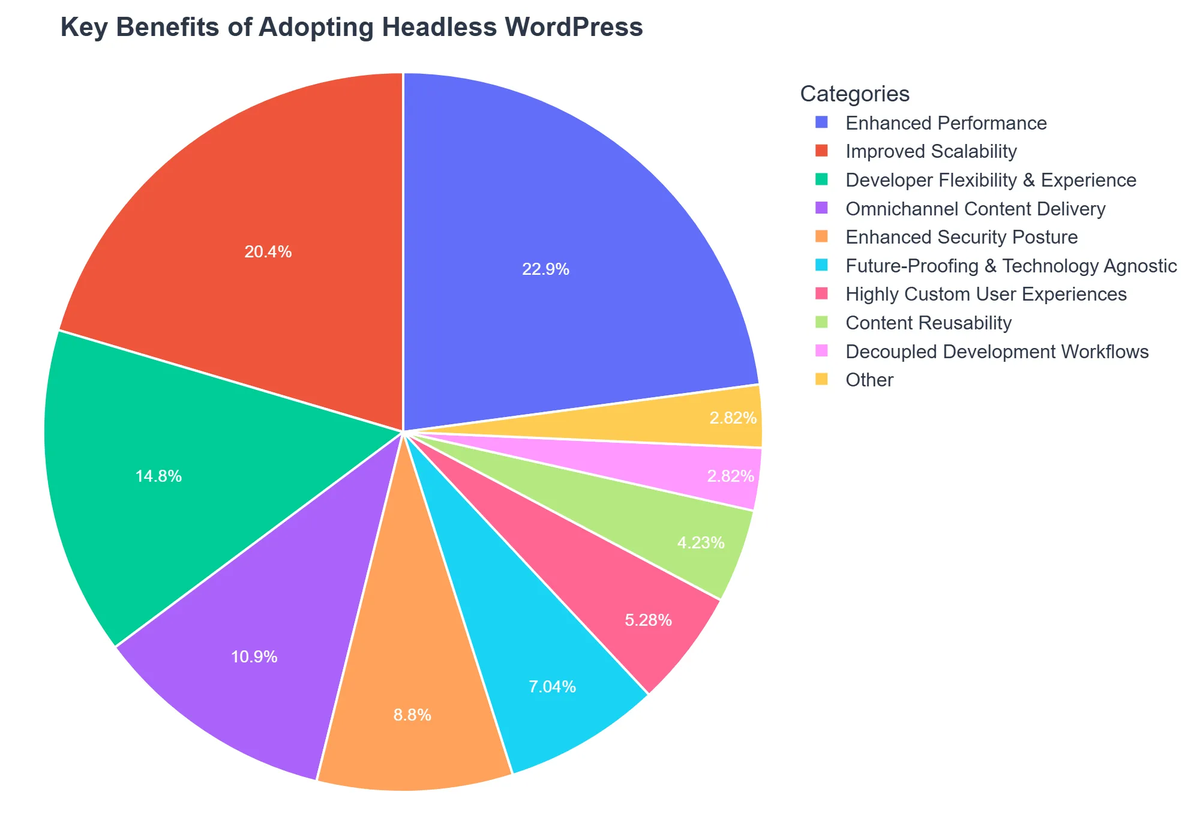
- → Why Go Headless? The Benefits of Decoupled Architectures
- — ⚡ Enhanced Performance and Speed
- — 💪 Unmatched Flexibility and Scalability
- — 🔒 Superior Security
- — 🚀 Improved Developer Experience & SEO Potential
- → Understanding the Architecture: How Headless WordPress Works
- — 🏡 The Role of WordPress as a Content Hub
- — 🔗 APIs: The Bridge Between Back and Front
- — 🖥️ Frontend Frameworks: Delivering the Experience
- → Building a Headless WordPress Site: Key Technologies & Steps
- — 🛠️ Choosing Your Stack
- — ⚙️ Setting Up Your WordPress Backend
- — 💻 Developing the Frontend Application
- → Headless WooCommerce: E-commerce in a Decoupled World
- — Why Headless WooCommerce?
- — ⚙️ Implementation Considerations for Headless WooCommerce
- → When to Use Headless WordPress (and When Not To) 🤔
- — ✅ Ideal Use Cases
- — ⚠️ Potential Drawbacks and When to Reconsider
- → The Future of Headless WordPress and Content Delivery
- — 🌍 Evolution of Content Consumption
- — 🏗️ The Rise of JAMstack and Beyond
- — 🏢 Considerations for Enterprise
- → Conclusion
What is Headless WordPress? Unpacking the Decoupled CMS
Traditionally, WordPress CMS operates as a monolithic system, meaning the frontend (what users see) and the backend (where content is managed) are tightly integrated. While incredibly effective for millions of websites, this architecture can sometimes present limitations for highly dynamic applications, omnichannel content delivery, or projects requiring specific, advanced frontend technologies.
#1 WordPress CMS
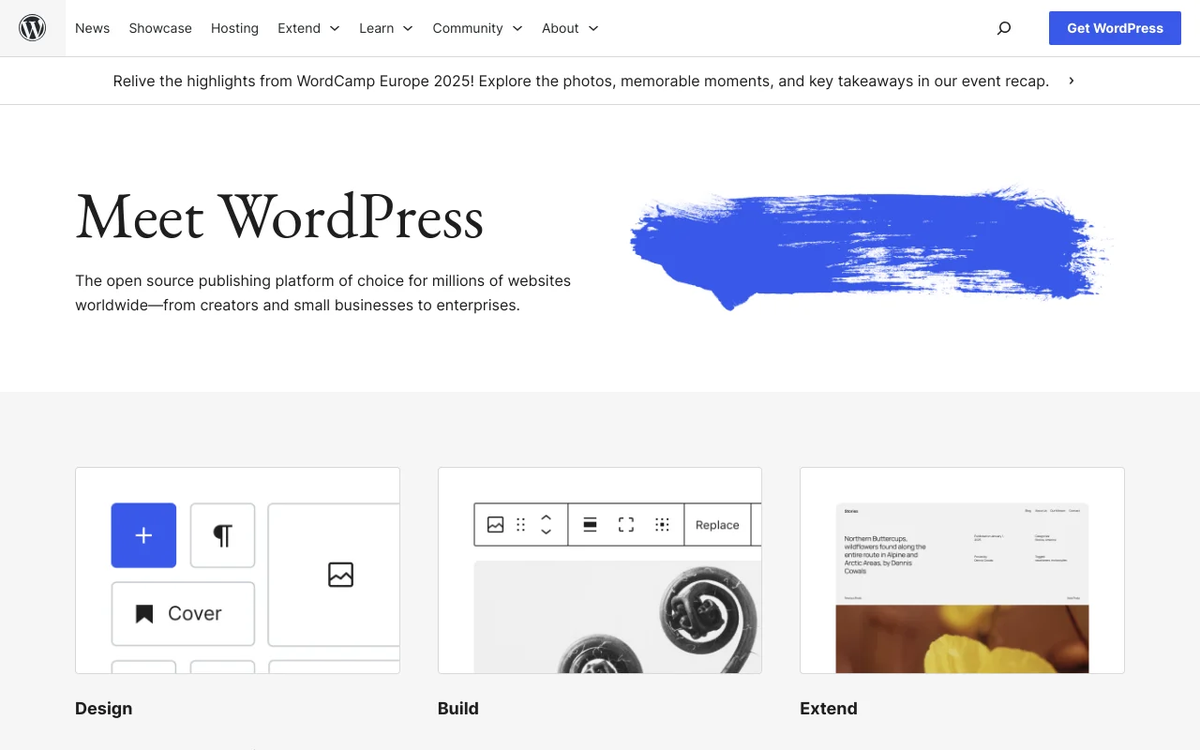
Best for: Individuals, businesses, and developers seeking a highly flexible, scalable, and customizable platform for building diverse websites, from blogs to complex e-commerce solutions.
- ✔Extensive Plugin and Theme Ecosystem: Offers a vast marketplace of add-ons, enabling powerful integrations and deep customization for virtually any website functionality.
- ✔High Scalability and Flexibility: The platform can grow with user needs, supporting everything from small personal blogs to large-scale enterprise websites and applications.
- ✔Robust Community Support: Benefits from a massive global community providing extensive resources, tutorials, and troubleshooting assistance, complementing commercial hosting support.
#2 WooCommerce
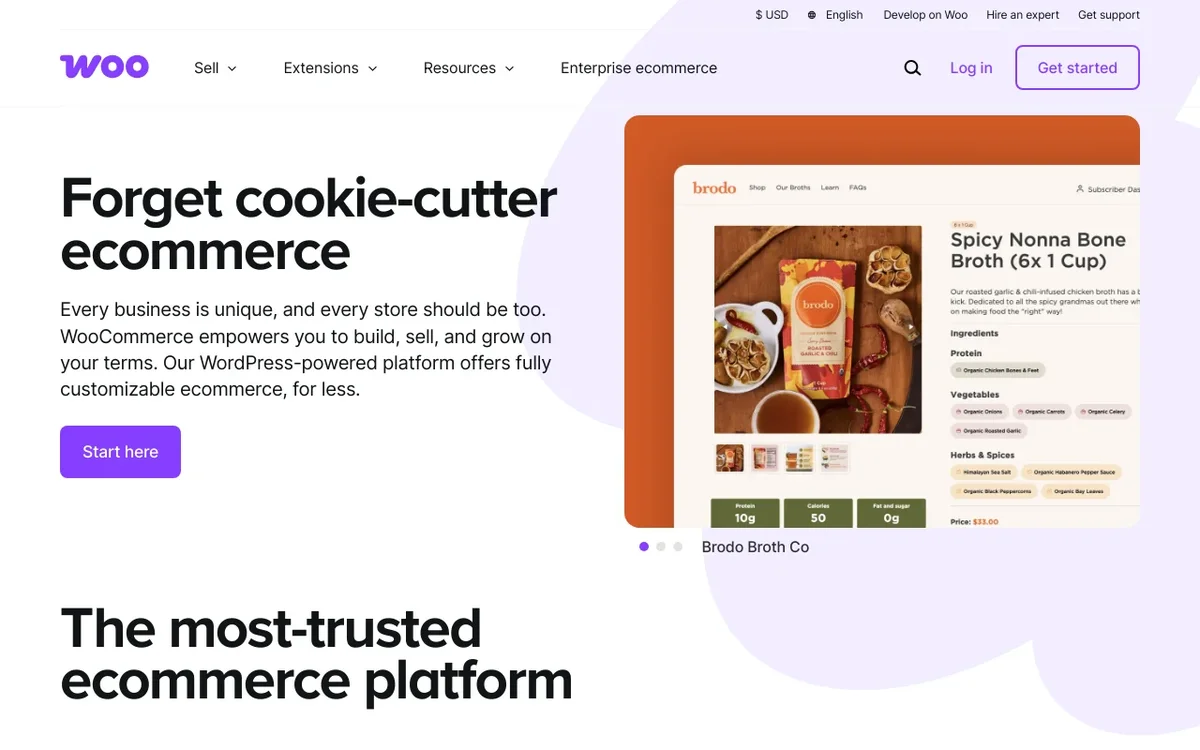
Best for: Best for businesses of all sizes seeking a highly customizable and scalable e-commerce platform integrated within the WordPress ecosystem.
- ✔Generous core functionality available for free, significantly reducing initial software costs and promoting flexibility.
- ✔Access to a vast ecosystem of extensions and themes, enabling powerful integrations with third-party services like payment gateways, shipping providers, and marketing tools.
- ✔Leverages the familiar WordPress interface, making store management intuitive for users already acquainted with the CMS.
⚙️ Monolithic vs. Headless Architecture
- ✅ Monolithic (Traditional WordPress): The backend (admin panel, database, PHP logic) and the frontend (themes, templates, HTML, CSS, JavaScript) live together in one tightly coupled system. When you publish a post, WordPress generates the HTML on the fly and serves it directly.
- ➡️ Headless (Decoupled WordPress): This is where WordPress gets a modern twist. In a headless setup, WordPress is used purely as a backend content management system (the “head” is removed). It handles content creation, storage, and organization. The content is then exposed via an API (Application Programming Interface), usually the WordPress REST API or GraphQL. A separate frontend application consumes this content and displays it to users.
💡 Key Components of a Headless Setup
Understanding the core pieces is crucial for anyone considering a `headless wordpress tutorial` or implementation:
- ➡️ WordPress CMS (The Backend): This is your familiar WordPress installation. You manage posts, pages, custom post types, users, and media just as you normally would. However, instead of a theme generating the public-facing site, WordPress serves as a robust content repository.
- 🔗 API (The Bridge): The WordPress REST API is built into WordPress and allows external applications to interact with your content. For more efficient and precise data fetching, many headless setups leverage GraphQL via plugins like WPGraphQL.
- 🖥️ Frontend Framework (The Head): This is the separate application that renders your content. Popular choices include modern JavaScript frameworks like React, Vue.js, Next.js, Gatsby, or SvelteKit. This frontend makes API calls to your WordPress backend, fetches the data, and displays it to the user.
Why Go Headless? The Benefits of Decoupled Architectures
The move to a headless architecture isn’t just a trend; it’s driven by significant advantages for specific project types and business needs. These benefits directly address many common challenges faced by traditional web development.
⚡ Enhanced Performance and Speed
- 🚀 Blazing Fast Load Times: Frontend frameworks like Next.js and Gatsby excel at generating static or server-rendered pages, which can be incredibly fast. This allows for optimal use of Content Delivery Networks (CDNs), reducing latency and improving user experience.
- 👍 Improved Core Web Vitals: Faster sites naturally perform better on Google’s Core Web Vitals, which can positively impact SEO rankings.
💪 Unmatched Flexibility and Scalability
- 🎨 Frontend Freedom: Developers are no longer restricted by WordPress’s theme layer. They can use any modern frontend technology, ensuring the best user experience and design possible. This freedom extends to integrating with various third-party services.
- 📈 Omnichannel Delivery: Your content, managed centrally in WordPress, can be delivered to websites, mobile apps (iOS, Android), IoT devices, digital signage, and more, all from a single source. This is a massive advantage for a content-first strategy.
- ➡️ Independent Scaling: The backend and frontend can be scaled independently. If your site experiences a surge in traffic, you can scale your frontend without necessarily needing to scale your WordPress backend, saving resources.
🔒 Superior Security
- 🛡️ Reduced Attack Surface: By decoupling, your WordPress backend (admin panel) isn’t directly exposed to the public. The frontend interacts with it only through the API. This significantly reduces potential entry points for attackers.
- 🔄 Easier Maintenance: Updates to the frontend or backend can often be managed separately, leading to fewer conflicts and simpler deployment cycles.
🚀 Improved Developer Experience & SEO Potential
- 💻 Modern Tooling: Developers can leverage their preferred modern JavaScript tools and workflows, leading to more efficient development and better code quality.
- 🔍 SEO Optimization: While traditional WordPress does well with SEO, headless setups, especially those using static site generation (SSG) or server-side rendering (SSR), can achieve superior SEO performance through optimized page loads and pre-rendered content.
Understanding the Architecture: How Headless WordPress Works
To grasp the practicalities of `headless wordpress`, it’s essential to understand the roles of its primary components and how they communicate.
🏡 The Role of WordPress as a Content Hub
In a headless architecture, WordPress sheds its skin as a website builder and instead shines as a pure content management system. It retains its powerful backend capabilities:
- 📝 Content Creation: Authors and editors continue to use the familiar WordPress dashboard to write posts, create pages, manage custom post types (e.g., products for WooCommerce, recipes, courses), and organize categories and tags.
- 🏞️ Media Management: The media library remains the central place for uploading and managing images, videos, and other assets.
- 👤 User Management: User roles, permissions, and authentication are all handled within the WordPress backend.
- 🔌 Plugin Ecosystem: Many WordPress plugins, especially those focused on content management, SEO (for metadata), or custom fields (like ACF), continue to function as expected, enhancing the content creation experience. For a comprehensive look at how plugins can boost your site, explore our guide on Essential WordPress Plugins for Website Growth.
🔗 APIs: The Bridge Between Back and Front
APIs are the communication layer that enables your separate frontend application to “talk” to your WordPress backend and fetch content.
- WordPress REST API: This is WordPress’s default API, built directly into the core. It allows you to retrieve data (posts, pages, custom post types, users, etc.) in JSON format. It’s robust and widely used.
- WPGraphQL: For more complex applications or those requiring highly specific data queries, WPGraphQL offers a more efficient alternative. GraphQL allows the frontend to request precisely the data it needs, reducing over-fetching and under-fetching issues common with REST APIs.
🖥️ Frontend Frameworks: Delivering the Experience
Once the content is available via the API, the frontend framework takes over. This is where the magic of the user experience happens.
- Popular Choices: React, Vue.js, Next.js, Gatsby, SvelteKit, and Angular are common choices. Next.js and Gatsby are particularly popular for headless WordPress because they offer excellent server-side rendering (SSR) and static site generation (SSG) capabilities, which are crucial for performance and SEO.
- How They Work: The frontend application makes an API request to your WordPress backend. WordPress responds with the requested content in JSON format. The frontend then parses this JSON data and dynamically renders it into HTML, CSS, and JavaScript that the user’s browser displays.
Building a Headless WordPress Site: Key Technologies & Steps
Embarking on a headless WordPress project requires a different skillset and approach than traditional WordPress development. While a full `headless wordpress tutorial` is beyond this guide’s scope, we’ll outline the core technologies and steps involved.
🛠️ Choosing Your Stack
The first major decision is selecting your frontend framework and related tools. This choice often depends on developer expertise, project requirements, and desired performance characteristics.
- Frontend Framework:
- ✅ React (with Next.js or Gatsby): Extremely popular, strong community, excellent for performance and SEO.
- ✅ Vue.js (with Nuxt.js): Another powerful and increasingly popular choice, known for its ease of use.
- ✅ Svelte/SvelteKit: Gaining traction for its compile-time approach, leading to very small bundles and fast performance.
- Hosting:
- ➡️ WordPress Backend Hosting: Needs standard PHP/MySQL hosting, similar to any WordPress site.
- ➡️ Frontend Hosting: Often hosted on platforms optimized for static sites or serverless functions like Vercel, Netlify, or AWS Amplify. These platforms are designed for speed and scalability of modern frontends.
⚙️ Setting Up Your WordPress Backend
Your WordPress installation becomes your content API source. This part is relatively straightforward for anyone familiar with WordPress:
- Install WordPress: Set up a standard WordPress installation on your preferred hosting environment.
- Enable/Enhance API: The WordPress REST API is enabled by default. For more control or better performance, install the WPGraphQL plugin if you plan to use GraphQL.
- Content Modeling: Define your custom post types, custom fields (using plugins like Advanced Custom Fields), and taxonomies to structure your content effectively for your frontend application.
- Security & Authentication: Implement appropriate security measures and API authentication (e.g., using application passwords or JWT).
💻 Developing the Frontend Application
This is where your chosen frontend framework comes into play. It involves fetching content from your headless WordPress instance and rendering it:
- Project Setup: Initialize your frontend project using the chosen framework (e.g., `create-next-app` for Next.js).
- Data Fetching: Write code to make API requests to your WordPress backend. For instance, you might fetch all posts, then individual post content.
- Component Development: Build React/Vue/Svelte components that receive the data and render it into a beautiful, interactive user interface. This process often involves translating design concepts into functional code, much like a PSD to WordPress Conversion: A Step-by-Step Tutorial focuses on bringing designs to life, but with a modern frontend stack.
- Routing: Implement client-side routing within your frontend application to handle different pages and URLs.
- Deployment: Deploy your frontend application to a suitable hosting provider (e.g., Vercel, Netlify) that can take advantage of its static or server-rendered nature.
Headless WooCommerce: E-commerce in a Decoupled World
The benefits of a headless architecture extend powerfully into the realm of e-commerce. `Headless WooCommerce` allows businesses to leverage WordPress’s familiar product management capabilities while delivering a lightning-fast, highly customizable, and scalable online store experience.
Why Headless WooCommerce?
Traditional WooCommerce stores, while powerful, can sometimes struggle with performance at scale or with highly unique design requirements. Headless WooCommerce addresses these by offering:
- 📈 Superior Performance: Faster page loads, smoother checkout processes, and improved user experience directly translate to higher conversion rates and reduced bounce rates.
- 🎨 Unlimited Design Freedom: Craft truly unique and brand-aligned storefronts without the limitations of standard WooCommerce themes. You can create highly interactive product pages and custom user flows.
- 📱 Omnichannel Commerce: Sell across websites, mobile apps, social media, and IoT devices, all pulling product data from a single WooCommerce backend.
- 💪 Enhanced Scalability: Handle large product catalogs and high traffic volumes more efficiently by decoupling the intensive frontend rendering from the backend product database.
⚙️ Implementation Considerations for Headless WooCommerce
Building a `headless woocommerce` store involves specific steps beyond a standard content site:
Headless WordPress: Advantages and Disadvantages
Pros
- ✔Enhanced Performance: Faster load times and smoother user experiences.
- ✔Frontend Flexibility: Freedom to use any modern JavaScript framework (e.g., React, Vue, Angular).
- ✔Improved Security: Decoupling reduces attack surfaces by separating the frontend from the backend.
- ✔Omnichannel Content Delivery: Easily publish content to various platforms (web, mobile apps, IoT) from a single source.
Cons
- ✖Increased Complexity: Requires specialized development skills and deeper API understanding.
- ✖Higher Development Costs: Initial setup and ongoing maintenance can be more expensive.
- ✖Loss of Familiar WordPress Features: Direct theme customization and some visual builder functionalities are less straightforward.
- ✖Steeper Learning Curve for Content Creators: The traditional WordPress visual editor and preview might be absent, affecting workflow.
- ➡️ WooCommerce REST API: WooCommerce comes with its own robust REST API, allowing you to manage products, orders, customers, carts, and more. This is the primary communication method between your headless frontend and your WooCommerce backend.
- 🛒 Frontend Cart & Checkout: This is a crucial difference. Your frontend framework will need to handle the entire cart and checkout process. This often involves:
- Building custom cart functionality that interacts with the WooCommerce API.
- Integrating with payment gateways (Stripe, PayPal, etc.) directly from your frontend or via serverless functions.
- Handling user authentication and order placement.
- 📦 Product Data: While product creation and management stay in the WooCommerce backend, the frontend will be responsible for displaying product images, descriptions, variations, and pricing pulled via the API.
- 💡 Plugins for Functionality: While the frontend takes over rendering, many backend-focused WooCommerce plugins for inventory management, shipping, or taxes can still be utilized. For more information on leveraging plugins for growth, check out our guide on Essential WordPress Plugins for Website Growth.
When to Use Headless WordPress (and When Not To) 🤔
While `headless wordpress` offers compelling advantages, it’s not a silver bullet for every project. Understanding its ideal use cases and potential drawbacks is key to making an informed decision.
✅ Ideal Use Cases
- 🚀 High-Performance & Complex Web Applications: When speed, scalability, and highly interactive user experiences are paramount, such as custom web apps, SaaS platforms, or large-scale content portals.
- 📱 Omnichannel Content Delivery: If you need to deliver content beyond a single website – to mobile apps, IoT devices, digital screens, or voice assistants – headless is the superior approach.
- 🎨 Custom & Cutting-Edge Designs: For unique user interfaces that are difficult or impossible to achieve with traditional WordPress themes.
- 📈 Enterprises & Large-Scale Sites: Organizations requiring highly specialized development workflows, robust security, and the ability to scale different parts of their infrastructure independently. WordPress VIP offers a great resource explaining these benefits in their guide: The Complete Guide to Headless CMS | WordPress VIP.
- ➡️ Team Specialization: When you have separate teams for backend WordPress development/content management and frontend development (e.g., a React team).
- 📊 Data-Driven Experiences: For sites that integrate heavily with external data sources, CRMs (like a `headless crm` scenario where content and customer data are brought together), or require real-time content updates.
⚠️ Potential Drawbacks and When to Reconsider
- 💰 Increased Complexity & Cost: Headless setups require more development effort and a higher level of technical expertise. You’re effectively building two separate applications (backend and frontend) and managing their communication.
- ⏱️ Longer Development Time: Unless you have pre-built solutions, initial setup and development typically take longer than deploying a standard WordPress theme.
- 🤔 Not for Simple Websites: For basic blogs, brochure sites, or small business websites where a standard WordPress theme works perfectly well, the added complexity and cost of headless are usually unnecessary. You can still achieve great results with traditional WordPress, especially when paired with powerful themes and marketing tools as discussed in WordPress Marketing Themes & Automation for Growth.
- ⚙️ Maintenance Overhead: You now have two systems to maintain, update, and secure, potentially doubling the operational workload.
- 🧩 Plugin Compatibility: Not all WordPress plugins are designed to work seamlessly in a headless environment, especially those that heavily rely on frontend rendering or direct theme integration.
The Future of Headless WordPress and Content Delivery
The trajectory of web development clearly points towards more flexible and API-first architectures. Headless WordPress is not just a passing fad; it represents a significant evolution in how content is managed and delivered across diverse digital platforms.
🌍 Evolution of Content Consumption
Users today expect content everywhere – on their phones, smartwatches, voice assistants, and more. A centralized content hub like headless WordPress empowers businesses to deliver consistent experiences across all these touchpoints without duplicating effort.
🏗️ The Rise of JAMstack and Beyond
The JAMstack (JavaScript, APIs, Markup) architecture, with its focus on pre-rendered content and API-driven data, perfectly aligns with the headless WordPress model. This approach minimizes server-side processing, leading to unparalleled speed, security, and scalability. As developers increasingly adopt these modern workflows, headless WordPress will continue to grow in popularity.
🏢 Considerations for Enterprise
For large organizations and enterprises, the ability to decouple their content from their presentation layer offers strategic advantages. It allows for greater agility, easier integration with existing business systems (like a `headless crm` or ERP), and the ability to future-proof their content infrastructure against changing frontend trends. For further reading on this approach, A Comprehensive Guide to Headless WordPress provides additional insights.
Recommended Video
Headless WordPress represents a powerful paradigm shift in web development, offering a compelling blend of WordPress’s renowned content management capabilities and the cutting-edge performance, flexibility, and scalability of modern frontend technologies. While it introduces a higher degree of complexity and requires specialized skills, the benefits for specific projects – particularly those demanding high performance, omnichannel delivery, or a truly bespoke user experience – are undeniable.
By decoupling the content from the presentation, developers gain the freedom to build virtually anything, while content creators continue to enjoy the familiar and robust WordPress backend. As the web continues to evolve, embracing headless architectures with WordPress positions your digital properties for optimal performance, security, and future adaptability. For a complete understanding of building and managing websites with WordPress, our ultimate guide, Website Development with WordPress: The A-Z Guide, provides an extensive foundation.
What is Headless WordPress?
Headless WordPress separates the backend WordPress content management system from the frontend presentation layer, allowing you to use modern JavaScript frameworks for the user interface.
What are the main benefits of using Headless WordPress?
Key benefits include improved performance, enhanced security, greater flexibility in choosing front-end technologies, and the ability to serve content to multiple platforms.
Do I still use the WordPress dashboard with a headless setup?
Yes, the WordPress dashboard remains your content authoring and management interface. The ‘headless’ aspect only refers to decoupling the display.
What frontend technologies are commonly used with Headless WordPress?
Popular choices include React, Vue.js, Angular, Next.js, and Gatsby, leveraging WordPress’s REST API or GraphQL for data.
WordPress CMS
Ready to take the next step? See how WordPress CMS can help you achieve your goals.